Showing posts with label Tips and Tricks. Show all posts

Wednesday, January 7, 2009

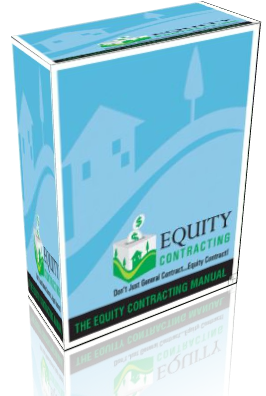
3D Box Effect


There are two ways on how to create such effect. The first one is to use an image manipulating tool such as Adobe Photoshop. But I'm telling you, it took a long time and patience. That's why, the second way is just to search for an Online 3D Box Creator and just upload your desired photos and enjoy it!

That's all, I just want to share what I have found. :)

Saturday, September 20, 2008

Did you know? #2

Photoshop CS3 includes a number of predesigned workspaces for particular projects, such as Color and Tonal Correction and Painting and Retouching.
Click Window ➔ Workspace, and select a workspace from the lower section of the submenu.

You can color-code the menu items that you use most often.
Click Edit ➔ Menus. In the dialog box that appears, click the expand triangle next to a menu name. Click None and select a color from the submenu.

Did you know? #1

You can return to the original workspace any time by clicking:
Window ➔ Workspace ➔ Default Workspace.
You can also delete unused workspaces by clicking:
Window ➔ Workspace ➔ Delete Workspace, and selecting the one that you want to delete.